
07.08.2026
The 9 Best Software Tools for Aesthetic Practices: Organization, Content, and Automation

Do you want to make your practice more digital, but still lose time to manual scheduling, scattered tasks, and repetitive administrative work? New software alone rarely solves these problems—the key is that every tool must eliminate a specific bottleneck. This article introduces nine tools for organization, marketing, automation, and data analysis, and shows you how to build a practical tool stack from them.

Javid Safaei
Key Takeaways
- Software tools can streamline appointment scheduling, task management, content production, and data analysis simplify – but they should always solve a specific time-consuming problem in your daily practice.
- The greatest efficiency gains occur when different systems work together seamlessly, eliminating the need to manually transfer data between applications.
- A step-by-step implementation, clear responsibilities, and strict adherence to data privacy are more important than the number or feature set of the programs you use.
At the front desk, an appointment is arranged by phone, confirmed via email, and later manually entered into a task list. Meanwhile, one staff member searches for the latest version of an internal workflow, while another compiles key performance indicators from multiple systems. Each individual task takes only a few minutes, but together they consume valuable working hours week after week. This is exactly where well-chosen and integrated software tools make a difference.
What are software tools for medical practices?
Software tools for practices support organizational, communicative, and analytical tasks and are typically used as SaaS solutions via the internet. This does not refer to programs for patient records or billing, but rather tools for organization, marketing, automation, and analysis.
SaaS solutions are programs that are accessed via the internet and usually subscribed to on a monthly basis, rather than being installed on your own computer.
A well-coordinated tool stack can save time, reduce errors and facilitate data-driven decisions. However, the decisive factor is not just the software, but also the willingness to question and restructure existing processes. A simple tool that is used consistently is often more valuable than a complex system that finds no application in daily practice. The following nine tools therefore serve as a flexible selection for various requirements and practice sizes.
Tools for organization and project management
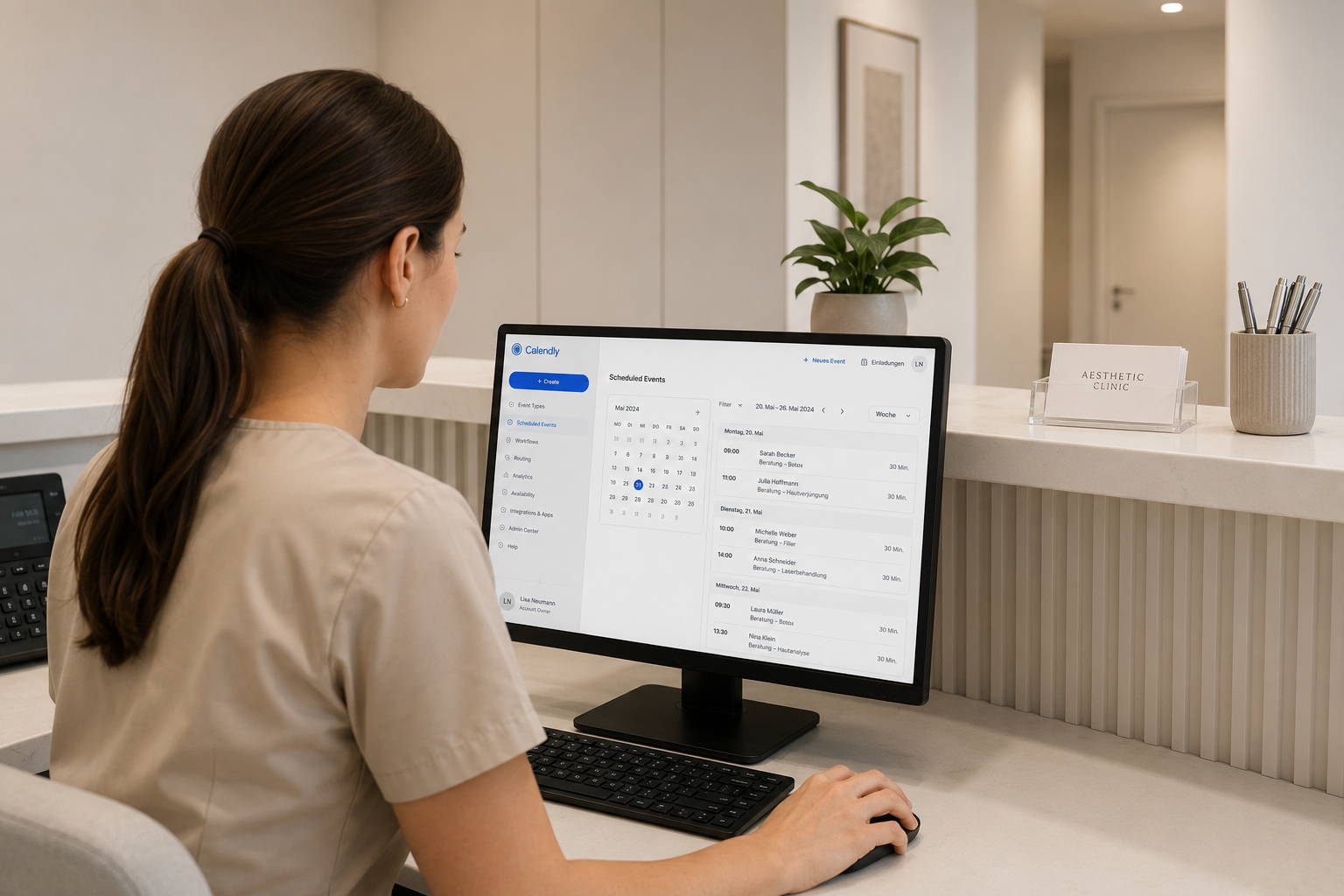
This group ensures that tasks, appointments, and knowledge are not stuck in the heads of individual employees, but are transparently documented . It forms the The backbone of a smooth daily practice routine.
1. Asana – Manage tasks and projects centrally
Asana is a project management toolthat allows you to manage all practice tasks centrally – from marketing and supply orders to HR matters and event planning. Responsibilities, deadlines, and processes become transparent, so nothing depends on individual people or scattered notes anymore. A concrete example: The recurring steps for preparing a patient event can be created as a reusable template that automatically generates all tasks for every event.
2. Calendly – Automate appointment scheduling
Calendly significantly reduces the effort required for scheduling appointments by Let prospective clients book available time slots themselves. This applies to initial consultations as well as internal meetings and eliminates the tedious back-and-forth via phone or email. For a practice, this means less time tied up at the reception desk and a lower barrier for prospective clients who want to book outside of business hours.
3. Loom – Document knowledge and scale processes
Loom creates screen recordings and video tutorialsin just a few minutes. This is particularly suitable for employee training and process documentation: Instead of explaining a procedure verbally to every new team member, a video is recorded once and used as often as needed. This is a significant lever, especially when onboarding new employees, because established knowledge is preserved even when experienced staff are unavailable.
Tools for content and marketing

These tools simplify the production and publication of contentthat is necessary for visibility and patient acquisition . They lower the barrier to publishing regularly and with consistent quality.
4. Rella – Planning and distributing content
Rella is used for planning, organizing, and publishing social media content across multiple platforms. Especially when dealing with high volumes of content, it provides clarity and prevents posts from appearing in an uncoordinated or irregular manner. An editorial calendarthat is filled weeks in advance also takes the pressure off your day-to-day operations.
5. CapCut – Editing videos for social media
CapCut has become the standard for fast, high-quality video editing . It allows you to produce Reels, Shorts, and patient education videos professionally, even without extensive prior knowledge – a significant advantage, as video content is becoming increasingly important for reach and visibility in AI systems.
6. Canva – Design for non-designers
Canva enables the creation of graphics, flyers, presentations, and ads without the need for complex design software. Centrally stored brand templates also ensure a consistent look and feel—a practical contribution to the practice's corporate design, as different team members can create content in the same style.
Tools for automation and data analysis

The third group connects systems, automates recurring processes and makes key performance indicators visible. This is often where the greatest untapped efficiency potential lies.
7. Zapier – Connecting systems and automating workflows
Zapier links different applications together and automate recurring processes. This allows new leads to be automatically transferred to your CRM (Customer Relationship Management system) or appointment bookings to be forwarded to the team. For growing practices, this saves many hours of manual work every day that would otherwise be spent copying data between systems.
8. Looker Studio – Visualizing key metrics
Looker Studio consolidates data from various sources into one central KPI dashboard – an overview of the most important metrics such as leads, revenue, appointment rates, or marketing performance. This enables data-driven decisions instead of gut-feeling decisions. A weekly look at such a dashboard shows early on whether an advertising campaign is working or if the booking rate is dropping.
9. ChatGPT – the digital assistant for recurring tasks
ChatGPT provides support for a variety of routine tasks – from drafting content and job advertisements to internal training materials. When used correctly, it significantly accelerates many workflows. However, for medical or patient-related content, the following applies: results must be professionally verified, and sSensitive data does not belong unchecked in such systems.
Team onboarding: turning a tool into a habit
The best software will fail if it isn't adopted in day-to-day work. What mattersis therefore less about the selection and more about the implementation. A proven approach is to introduce a new tool for a clearly defined use case, designate a person in charge, and briefly document the process—for example, via a Loom video.
It is important to consistently phase out old methodsas soon as the new tool is up and running. As long as tasks are still being handled in parallel via sticky notes or verbal requests, the system will not take hold. Only once a tool has become a natural habit is it worth introducing the next one. This step-by-step approach prevents the overwhelmthat causes many digitalization efforts to fail.
Common mistakes when introducing new tools
When digitizing practice processes, several mistakes occur particularly often:
- Too many tools at once: Introducing multiple systems simultaneously overwhelms the team. It is better to implement them step-by-step, focusing on the biggest bottlenecks first.
- Tools without a clear purpose: Software introduced because it seems modern, rather than to solve a specific bottleneck, creates effort without benefit.
- Lack of training: Without training, a tool will only be used half-heartedly. Brief documentation ensures it is used in daily operations.
- Maintaining old workflows in parallel: If you introduce a new system but keep the old way of doing things available, you prevent the transition from taking hold.
- Overlooking data protection: Using tools that involve patient data without a data processing agreement is an avoidable legal risk.
A lean starter stack for small practices
If you are just starting out, you don't need to introduce all nine tools at once. For many smaller practices, a lean core is sufficient to begin with.: one tool for booking appointments, one for task management, and one for content creation. This covers the most common bottlenecks: scheduling chaos, forgotten tasks, and inconsistent content.
This core can later be expanded strategically, as soon as a specific need arises. If your data volume grows, you can add a dashboard; if repetitive transfers between systems become overwhelming, automation becomes worthwhile. The advantage of this step-by-step approach is that every new tool builds upon a foundation that is already well-established.
Tools are no substitute for clear processes
A common misconception is that a new tool will solve an organizational problem on its own. In reality, software only amplifies what is already in place : a clear process becomes faster and more reliable with the right tool, a vague process will only become chaotic fasterwith the same tool. The question of who does what and when must be answered before a tool can effectively support it.
In practical terms, this means briefly outlining what a workflow should actually look like before implementation—for example, the path of a new inquiry from the initial response to the booked appointment. Only this defined workflow turns a tool into a real lever. Otherwise, the software simply digitizes the existing mess, and the hoped-for efficiency gains fail to materialize.
Conclusion
The right software tools for practices reclaim the exact time lost to unstructured organization, time-consuming marketing production, and a lack of data oversight. The key is not the number of tools, but a well-thought-out stack that solves real bottlenecks, is introduced step-by-step, and incorporates data protection from the start. Those who start with their biggest time-waster, get the team on board, and expand strategically will see a noticeable gain in efficiency—without getting lost in complexity.
Make your practice processes more efficient
Not every tool is right for every practice. We will show you which digital solutions solve your biggest bottlenecks and how to successfully implement them with your team.
FAQ
Frequently asked questions about software tools for practices
Hier finden Sie Antworten auf die wichtigsten Fragen
What does SaaS mean?
SaaS stands for Software as a Service. It refers to software that is accessed via the internet and usually subscribed to on a monthly basis, rather than being purchased and installed locally. Updates, maintenance, and servers are managed by the provider.
Which tool should a practice introduce first?
That depends on your biggest bottleneck. If scheduling takes up too much time, a booking tool is the first step; if you lack an overview of tasks, a project management tool makes more sense. Your choice should be based on actual needs, not trends.
Can these tools be used in compliance with data protection regulations?
Generally yes, for organizational and marketing purposes, provided that a data processing agreement is signed whenever personal data is processed. Patient-related health data should only be stored in systems specifically designed and contractually secured for that purpose.
Can ChatGPT be used for practice content?
It is a useful tool for drafts, internal texts, and routine tasks. However, for medical or patient-related content, the results must be professionally verified, and sensitive data should never be entered without careful review.
How many tools does a practice really need?
As few as possible and as many as necessary. A lean, well-managed stack is more effective than a large collection of half-used applications. The key is that every tool must solve a specific bottleneck.
Are paid tools worth it for small practices?
Often yes, if a tool saves more working time than it costs. Many providers also offer affordable entry-level plans, allowing you to test the benefits with low risk before investing in larger packages.